
Updating my 5 acre wifi network

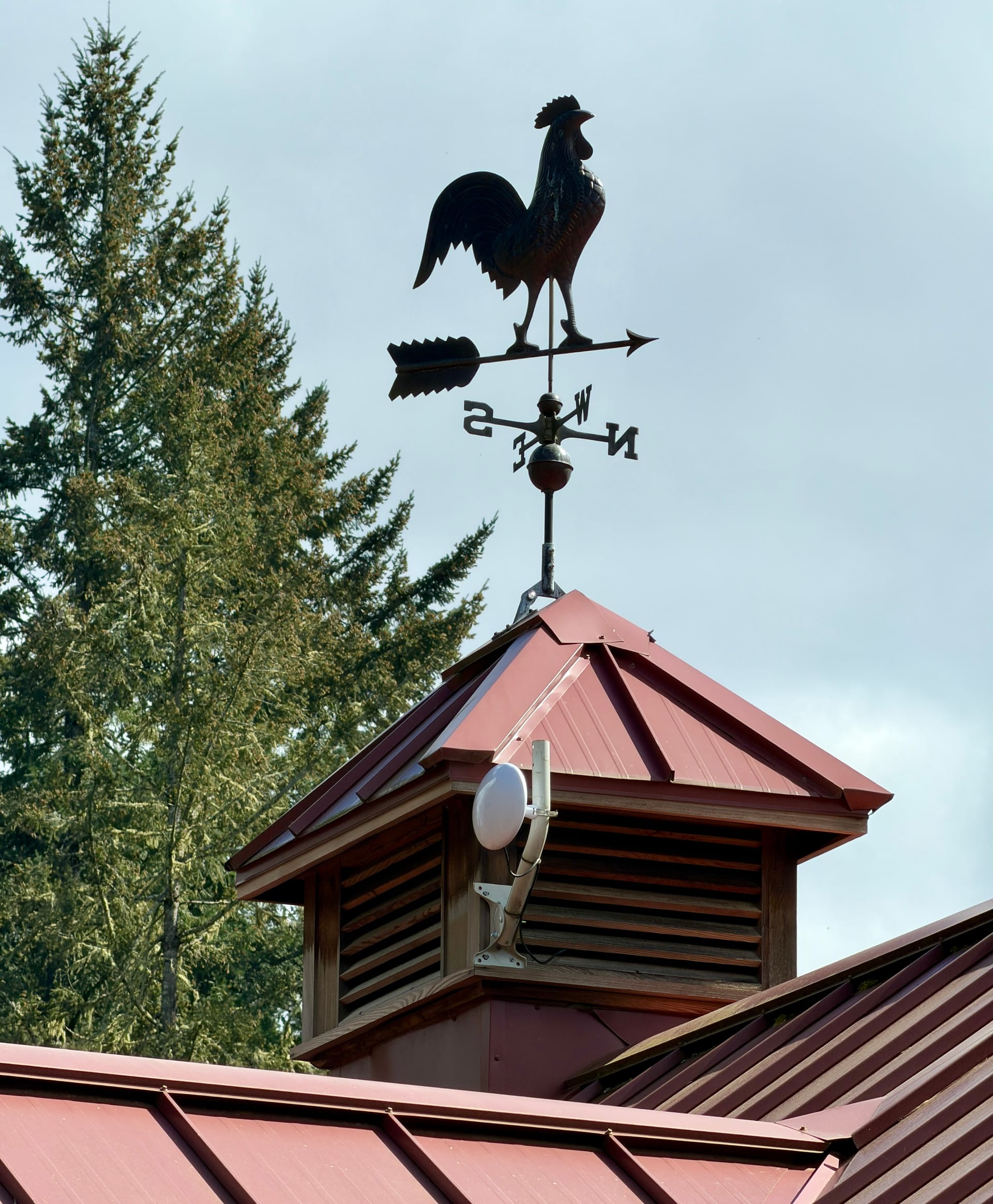
Back in 2019, I wrote a post about how I set up a point-to-multi-point (PtMP) network to give every outbuilding around my house an internet connection. Each building also has wifi for when you are near them and everything is on the same local network so I can control lights, plugs, wall switches, and garage doors in each outbuilding.
 mathowie
It worked great at first and felt like magic. It was a long process to get everything set up (I had to hire someone to help) and optimized as each device had to be carefully configured, the antennas aimed, and traffic shaped through it.
I put it together back in 2019, but a lot of the technology was already outdated then. The main house antenna only supported a 100Mbps connection over 2.4Ghz, so each building could only transfer data at around 40-80Mbps. When I first set it up, I had a 25Mbps DSL internet connection so the network wasn't a bottleneck, but now that I have 600Mbps fiber I figured it was time to make everything work better.
Goals for a 2026 update
I wanted to modernize my network and I had a few features in mind:
- The main house antenna must operate at 1Gbps throughput
- Hopefully increase each outbuilding's wifi connection from a typical 40-60Mbps to 100+Mbps
- Make software updates on the devices easier, and track performance
Let's search for UniFi gear
My easiest path was to keep everything as-is, but upgrade the main house antenna to a slightly newer model that supported a 1Gbps connection in the 2.4Ghz wireless space. I went with 2.4Ghz back in 2019 because I was worried about wireless connections shooting through the many trees around my house, and 5Ghz connections don't work as well with obstructions.
I had a hard time finding anything that met my criteria and the one I wanted most was on extended backorder (or if reddit commenters are to be believed, it was canceled completely). UniFi's entire wireless catalog is pretty baffling as they list 73(!!!) different antennas, dishes, and points to connect buildings to one another over wireless. It's why I initially hired a network engineer to help me plan it all out that first time.
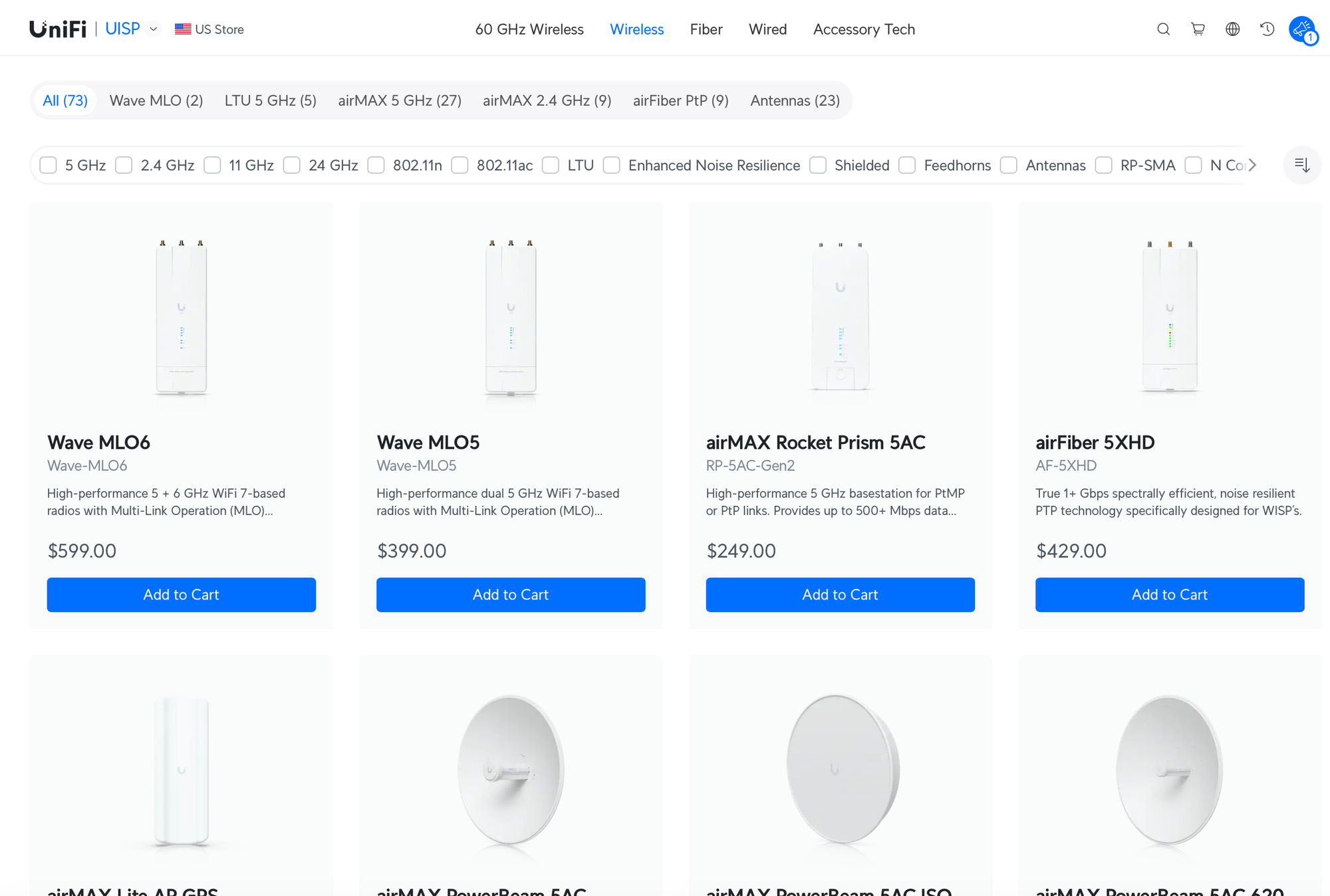
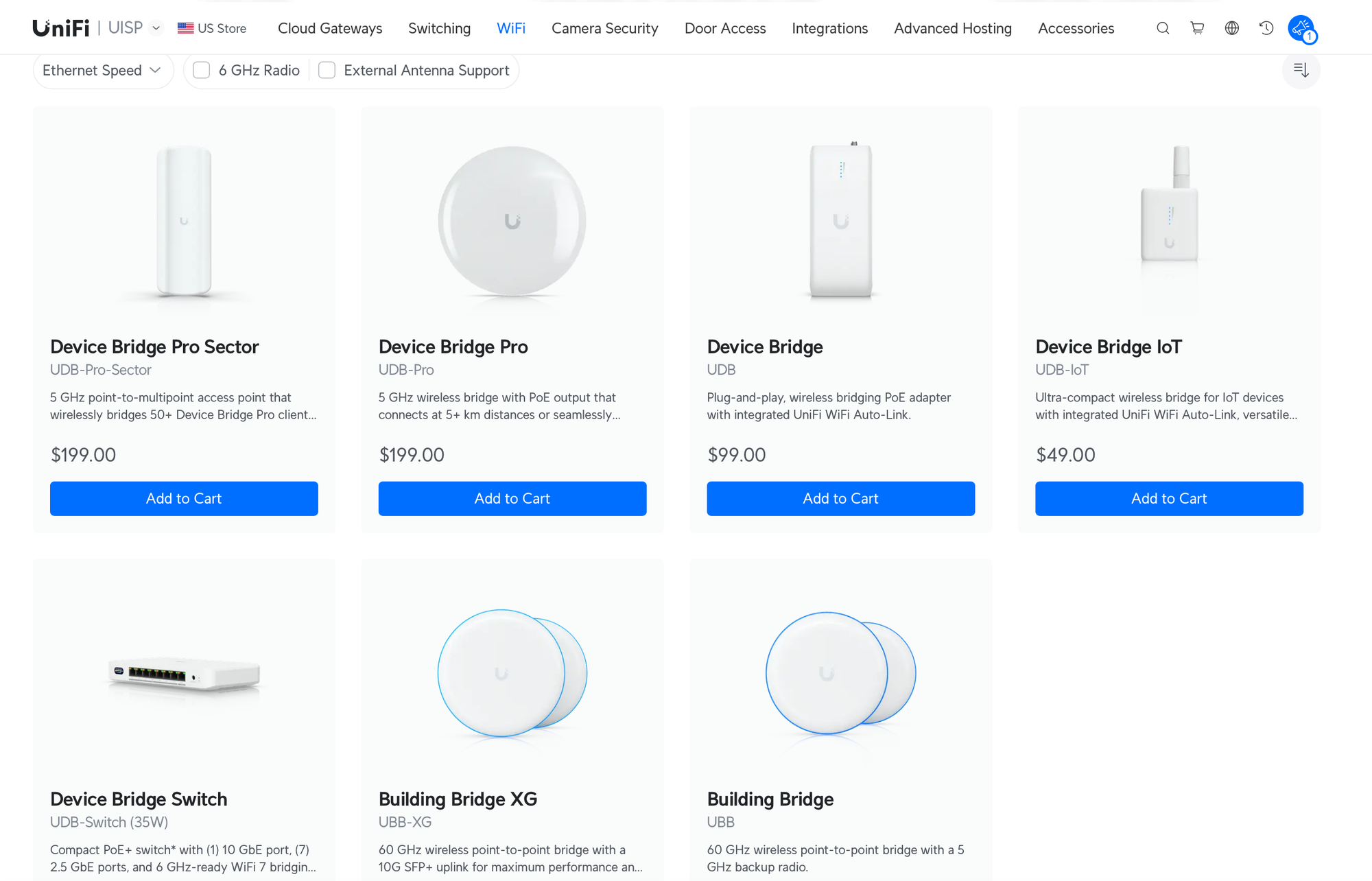
Thankfully, UniFi has wised up and they moved most of those devices to a page dedicated to professionals working for ISPs. Now, if you go to store.ui.com and look at bridging options for connections between buildings, they show just seven products to cover almost any home or small business need to connect networks between buildings wirelessly.
What you get in new equipment vs. the old
Before I took the plunge on new gear, I watched countless videos from IT nerds explaining the new features in the Device Bridge Pro line like the one below.
The AirMax wireless points I used to use required apps separate from UniFi's OS you use to control your home network (they're both made by the same company, so it was always strange). You would connect to each building's wireless point via its local IP address and you'd get a network analyzer in the browser you could tweak. If you misconfigured anything, it would fall off the network and be unreachable, requiring a physical reset (up a ladder, pushing a reset button). It took about an hour to configure each point to have a static IP and you'd have to do it on a test switch on your network before deploying it outside
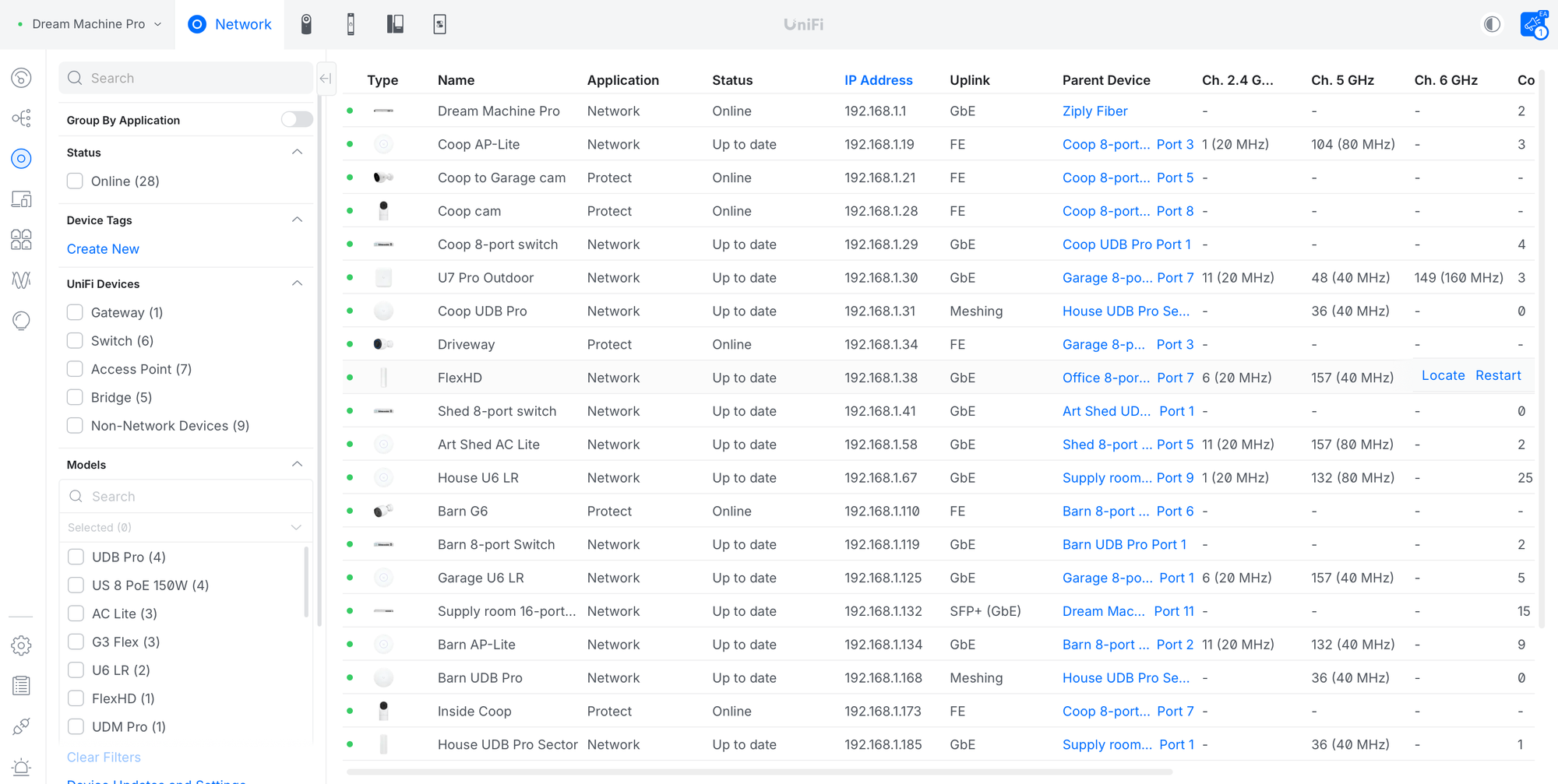
The new wireless gear finally integrates into the existing UniFi OS. I can now see all my wireless building points right next to the wifi points within each building, along with the network switches that control each of them, all in one screen.
I ended up buying a Device Bridge Pro Sector for the main house antenna, and four Device Bridge Pros for the outbuildings that got pointed at the main Sector. Since each item was $199, the total was right around $1,000.
Setup and deployment of new gear
Swapping points was simple since the hardest part of running ethernet wires through a house and putting up pole mounts on buildings was done 7 years ago. The main house antenna took only 15 minutes, as I just needed a ladder to get on the roof, a quick disconnect of the old antenna, then bolting the new one onto the existing pole and plugging in the same PoE cable. (bonus: the old wireless point became a wasp nest at some point, thank god it was winter time and wasp-free)
At each outbuilding, I climbed a ladder, disconnected the old wireless point, plugged a new Device Bridge Pro into the existing ethernet line, then aimed it at the house and tightened the mount. It was 5-10 minutes per building.
The magic of these new Device Bridge devices is that they ship from the factory pre-configured. You don't have to do all the crazy configuration by hand the old devices required. If you plug ethernet that has a live internet connection into one of the new units, it will broadcast that connection to other devices that can mesh and connect with it to share that connection over the air. When you plug in one of them without a connection, it searches out other wireless points, forms a mesh network automatically, and shares the connection.
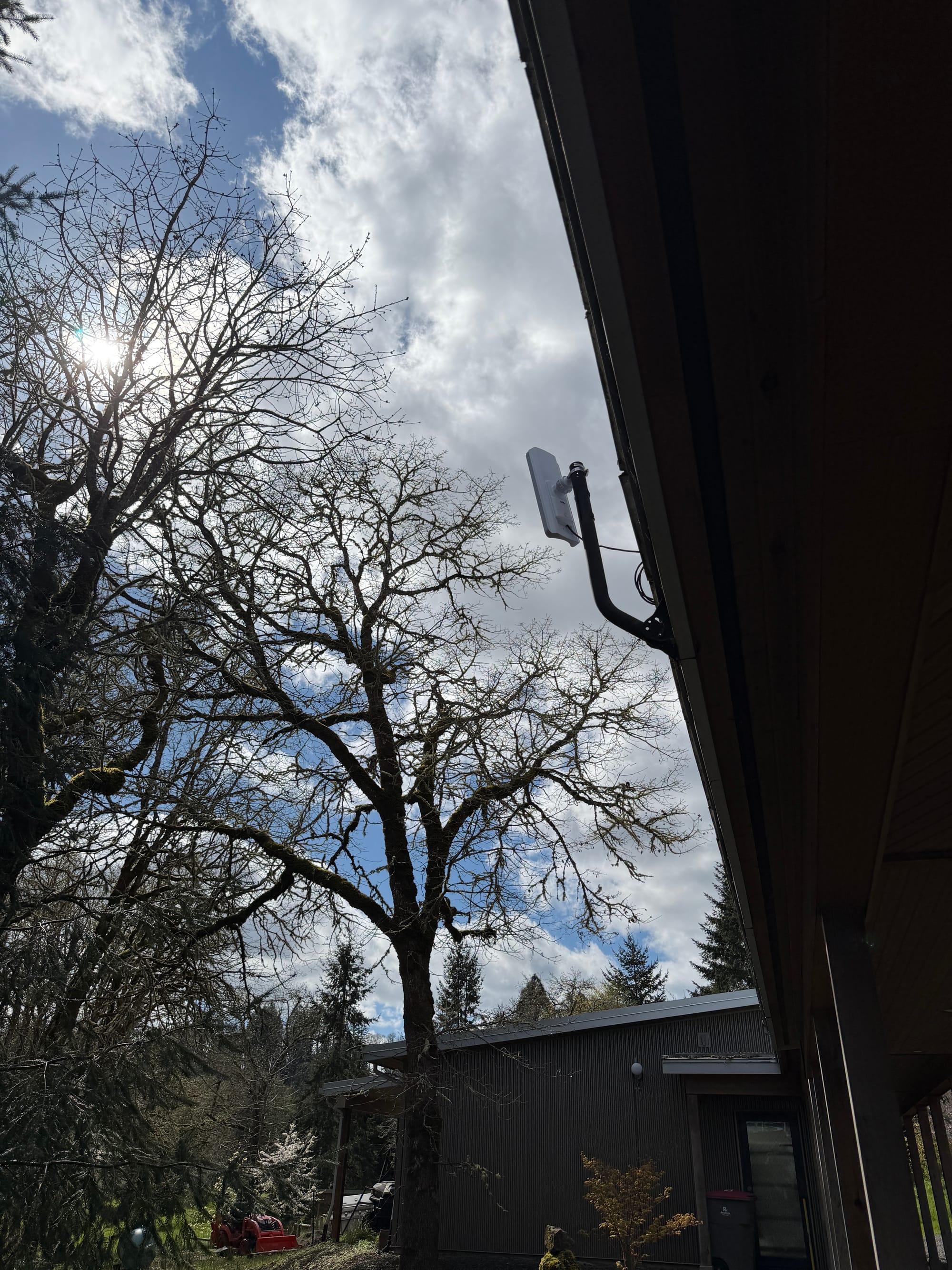
The Device Bridge Pro Sector attached to my house was the only one with an internet connection, and it came online quickly after I adopted it in the UniFi Console. Then each building came online, updated their firmware, and connected.
The Sector supports a 90º spread (my old wireless antenna was 360º, or omnidirectional) so it is aimed down towards the center of my property. I was concerned about aiming each device successfully, but so far it hasn't been much of an issue, even for one building well outside of the 90º view. The jump to a 5Ghz system hasn't affected the connections and it all works fine even though 7 years ago, I found 5Ghz connections didn't do well in trees.
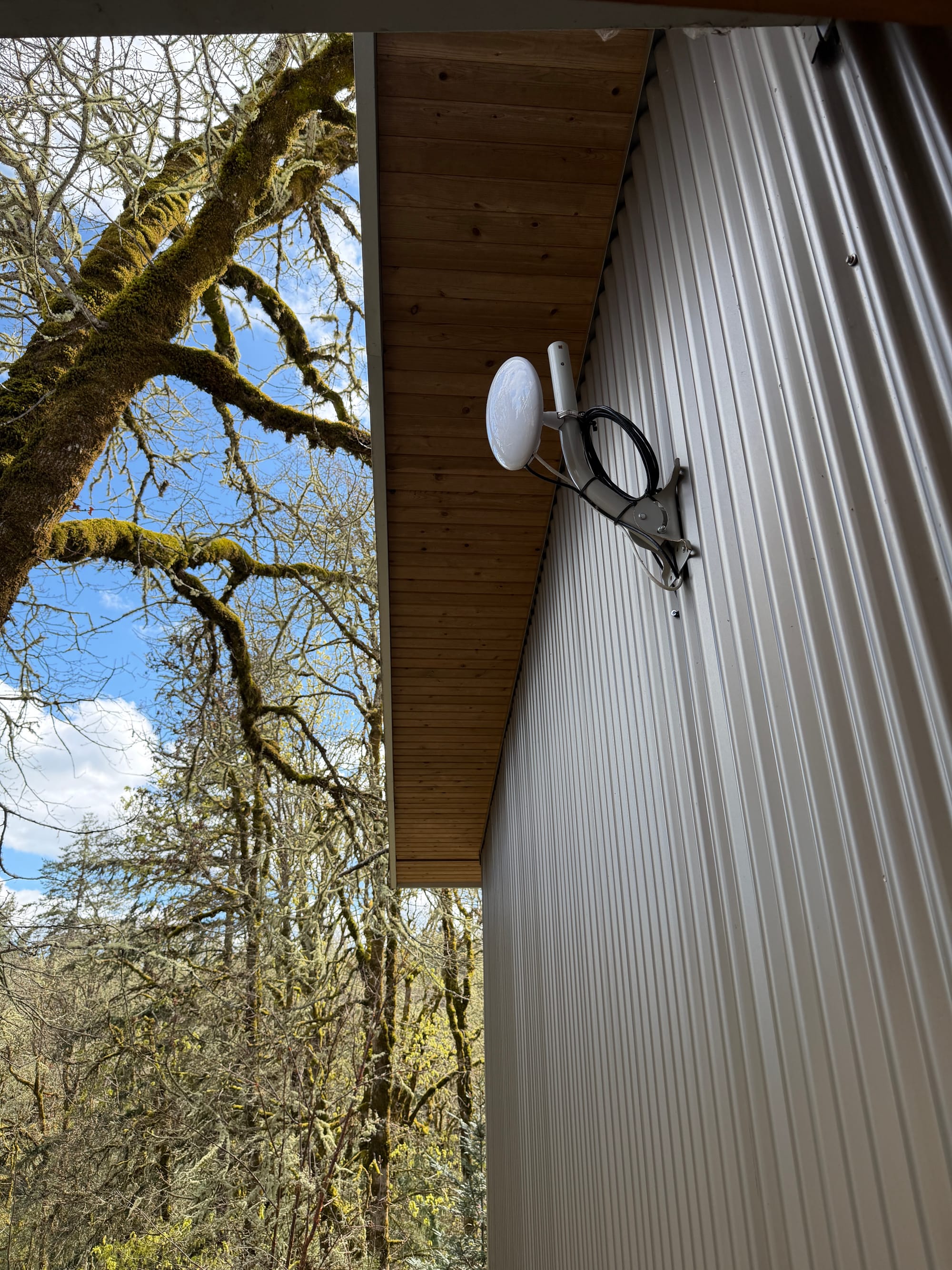
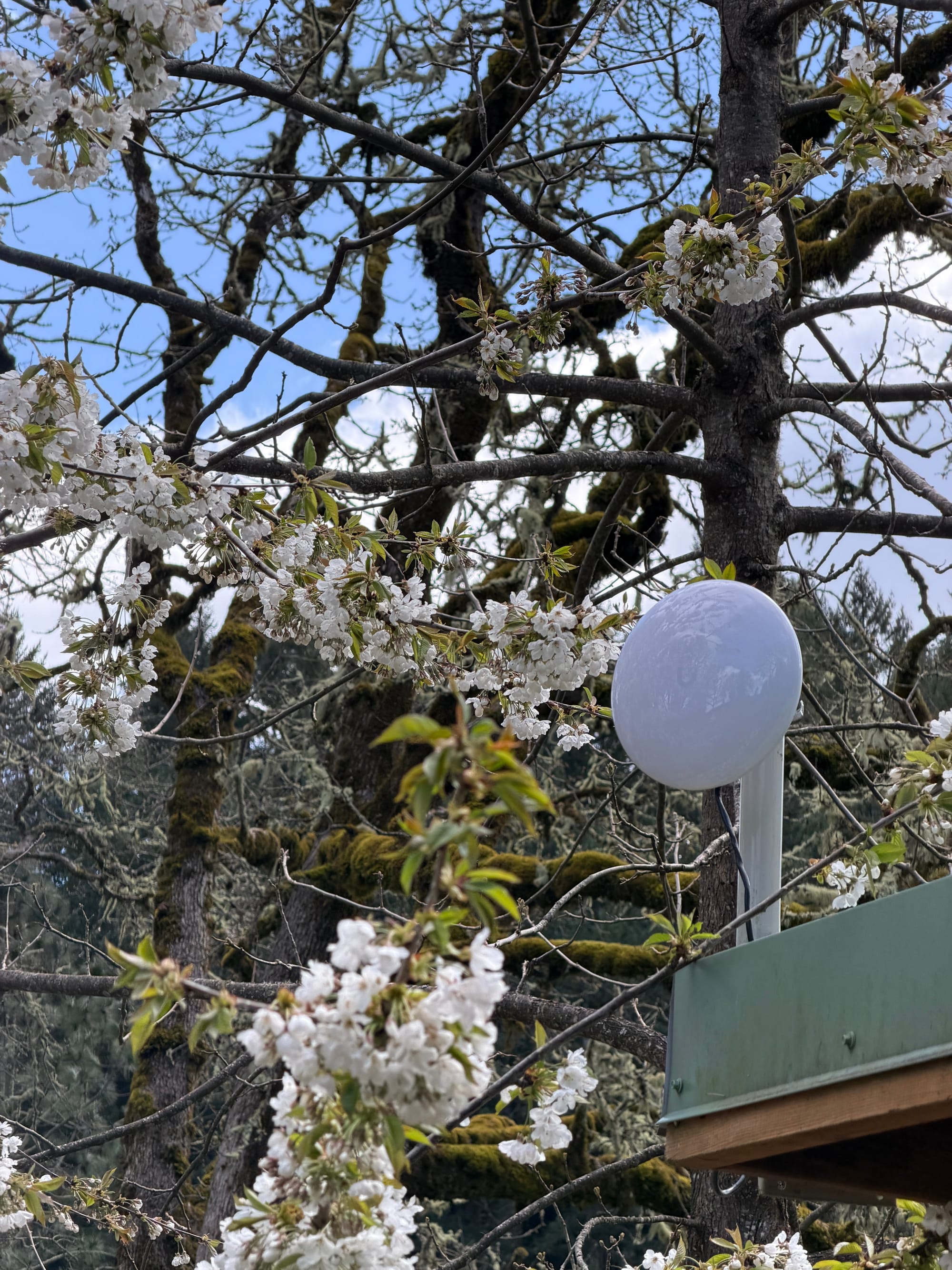
Here are the four Device Bridge Pros mounted on each building, top left is our unattached garage, then the corner of our chicken coop, the top of our barn's cupola, and then the back corner of an art shed.
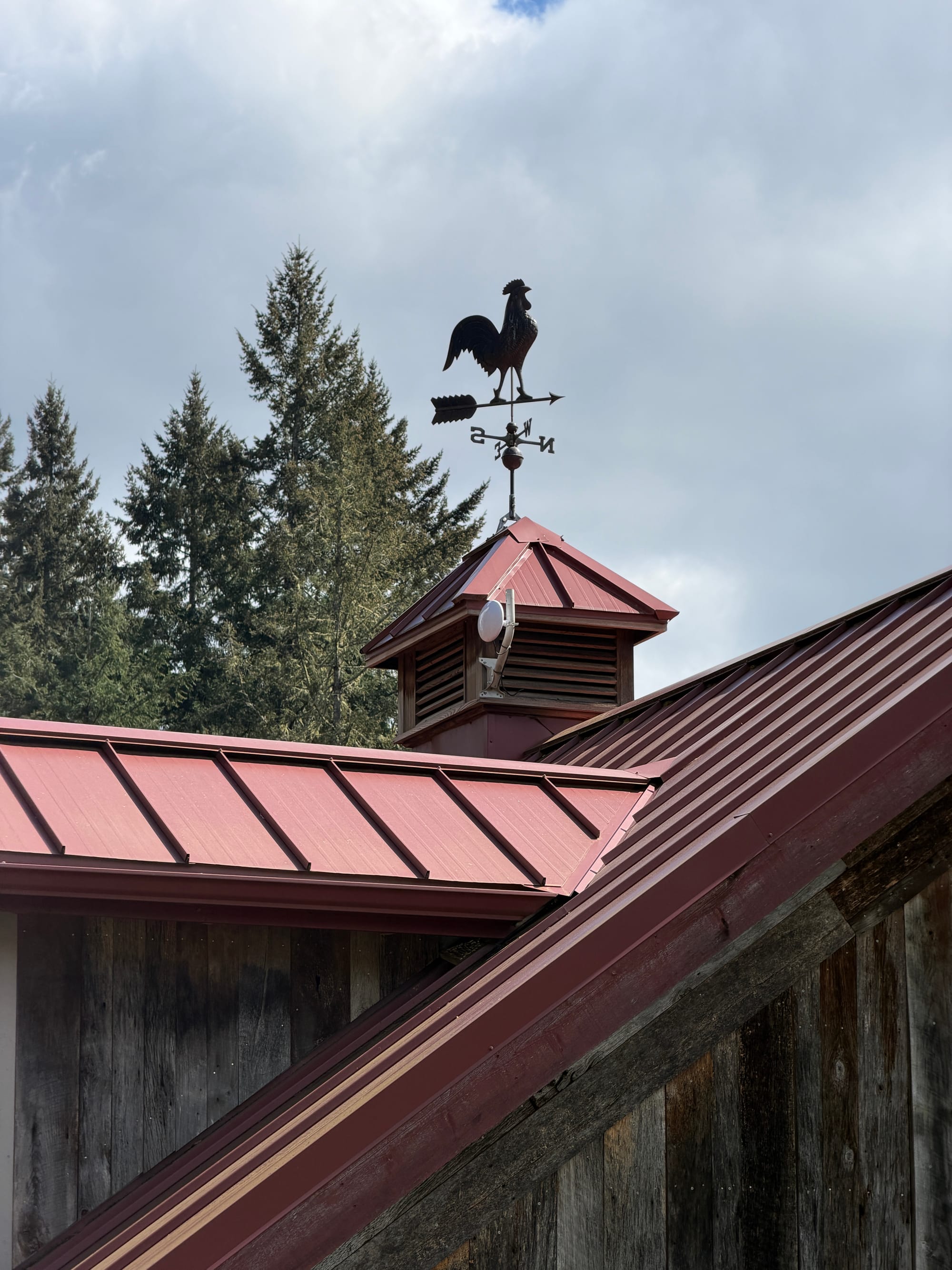
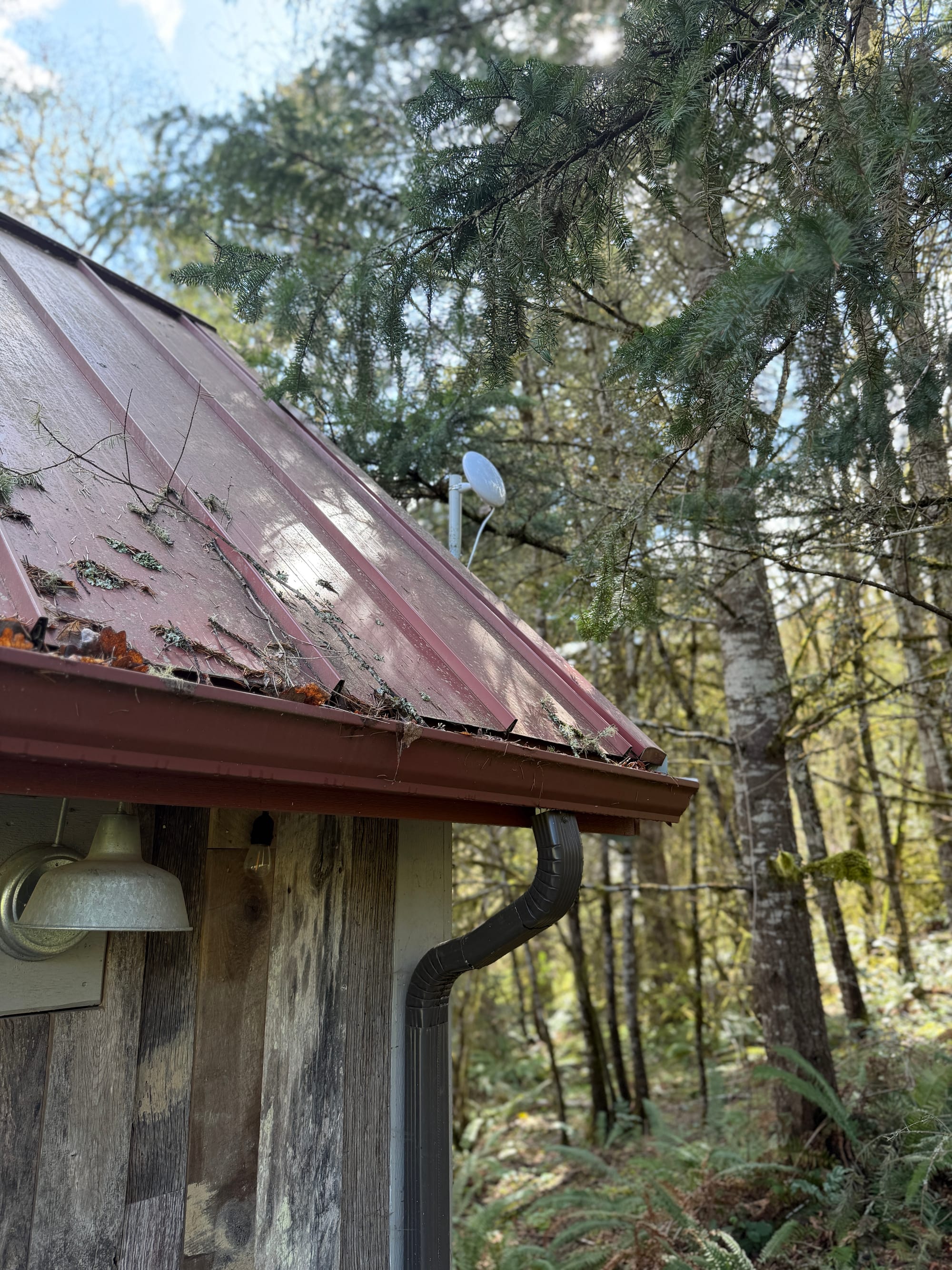
Here's how the network looks in my UniFi console.
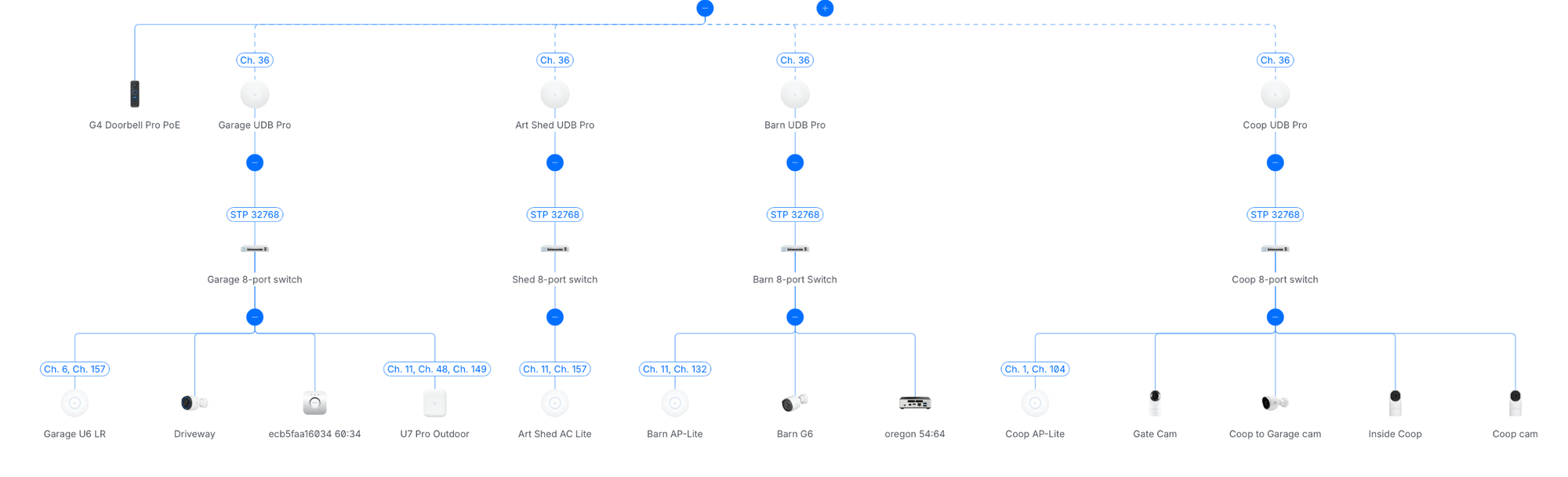
Each building has a network switch that supports PoE, along with a WiFi point and a few UniFi cameras that work over PoE to monitor people coming and going and where the chickens are and what they're up to.
Performance aspects of the new devices
I will say the new devices have positives and negatives over the old ones. It's great they show up in my main UniFi console, but they offer only limited monitoring if you want to optimize them. Here's the details on the Device Bridge Sector that is attached to my house, showing each of the outbuilding connections.
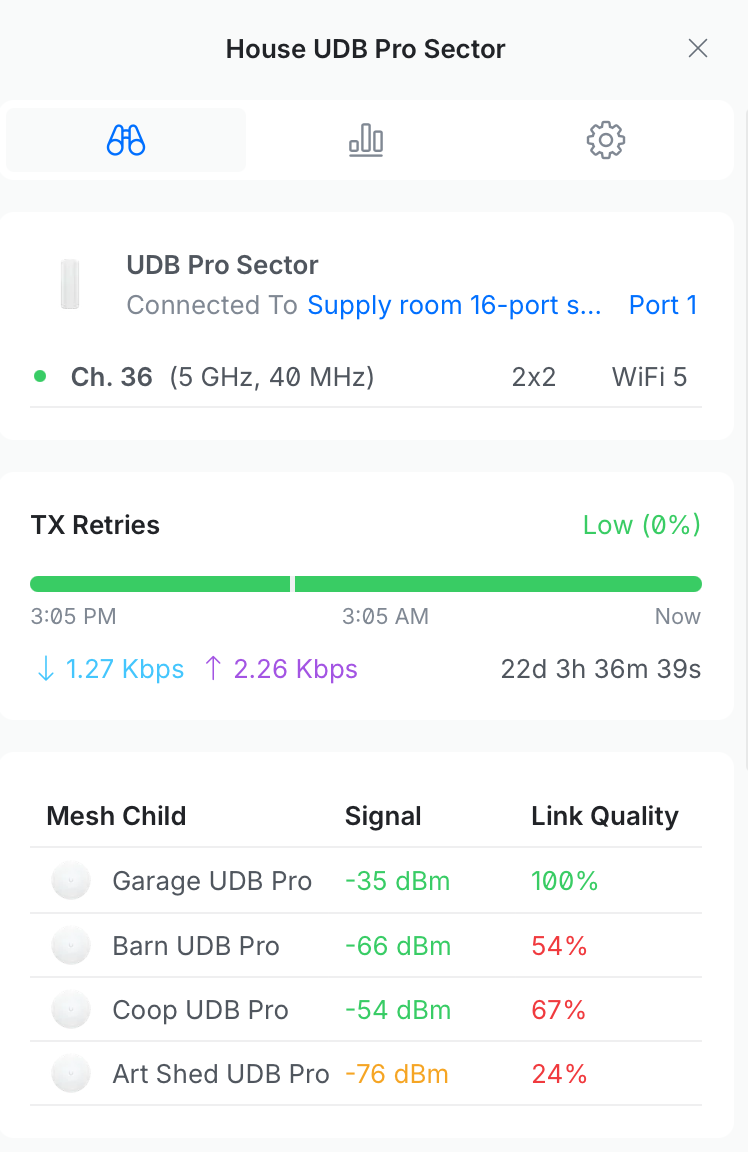
Gone are the days of the AirMax browser tools (which could be a pain as I said before), but offered much deeper graphs and logs of how strong your connection is that helped with real-time aiming of the devices. With the new stuff, you just get on a ladder and tweak your dish aim, then pull up the console to check the Link Quality. Also? They don't expose this data on their mobile app or mobile website, you have to view it from a desktop to see link quality.
I assume they'll improve the tools to help with aiming and tweaking wireless mounts on buildings, it's probably because these units have only been out for about a year and the transition to the new software is recent.
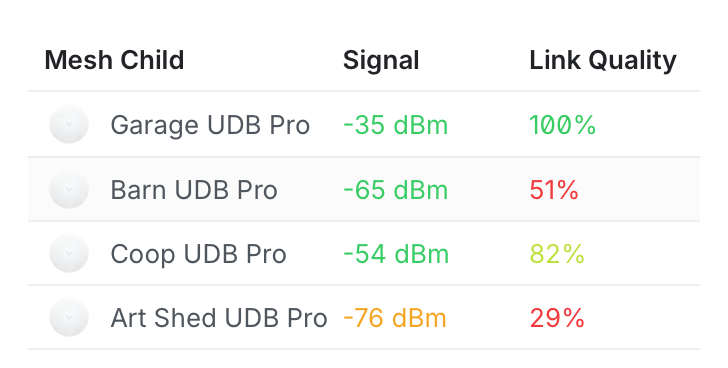
My garage is only about 100 feet from my house with zero obstructions. The Chicken Coop is a couple hundred feet further, but has a few branches in the way. The Barn roof has to shoot through an entire forest, and I'm surprised it works as well as it does. The Art Shed is on the other side of our house, well outside of the main 90º "window" that the Sector can see, and surrounded by trees. I am impressed that it even connects, and it works fine.
Here are network speeds I get different locations using iPerf3. The top left is inside my home office, so it represents optimal WiFi speed on the network. The 161Mbps result is from the garage with zero obstructions, the 88Mbps is the chicken coop, the barn gets 120Mbps, and the art shed in the forest gets 43Mbps.
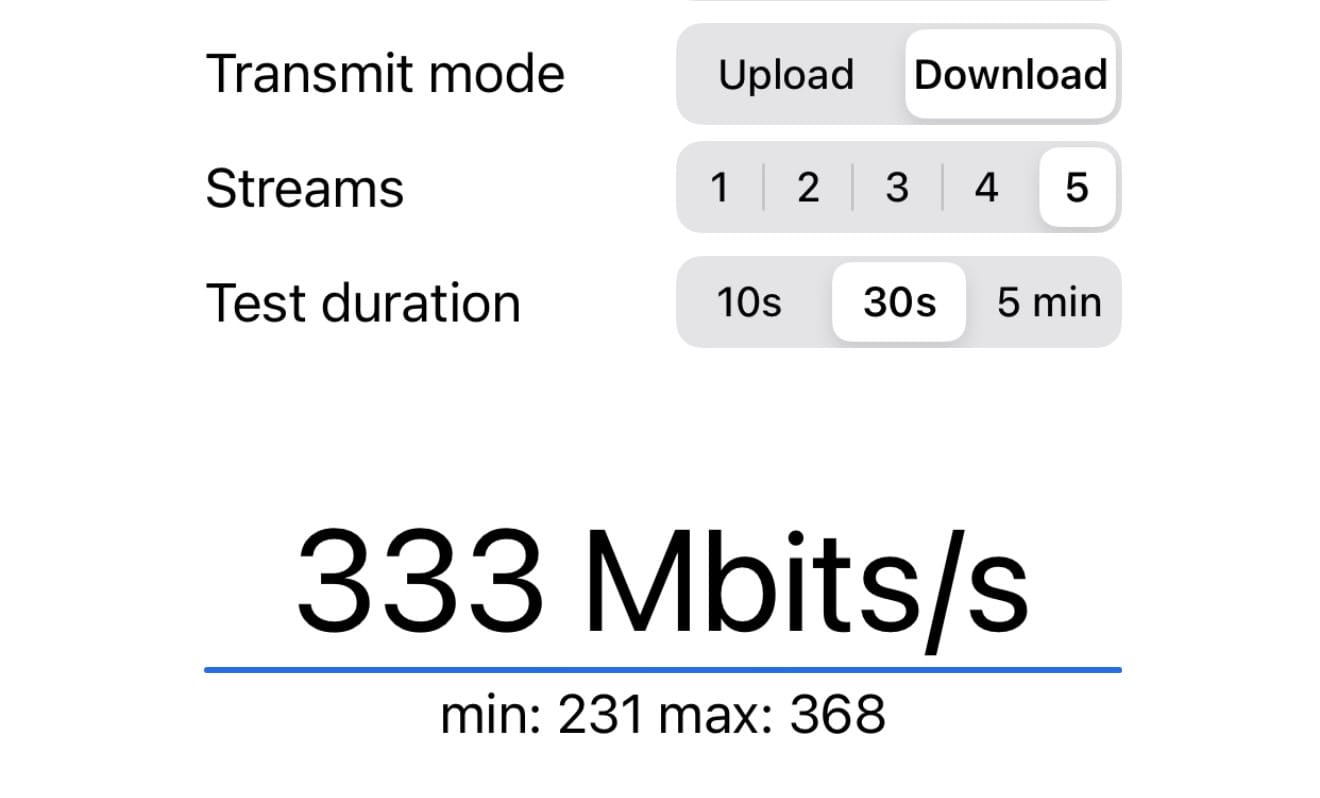
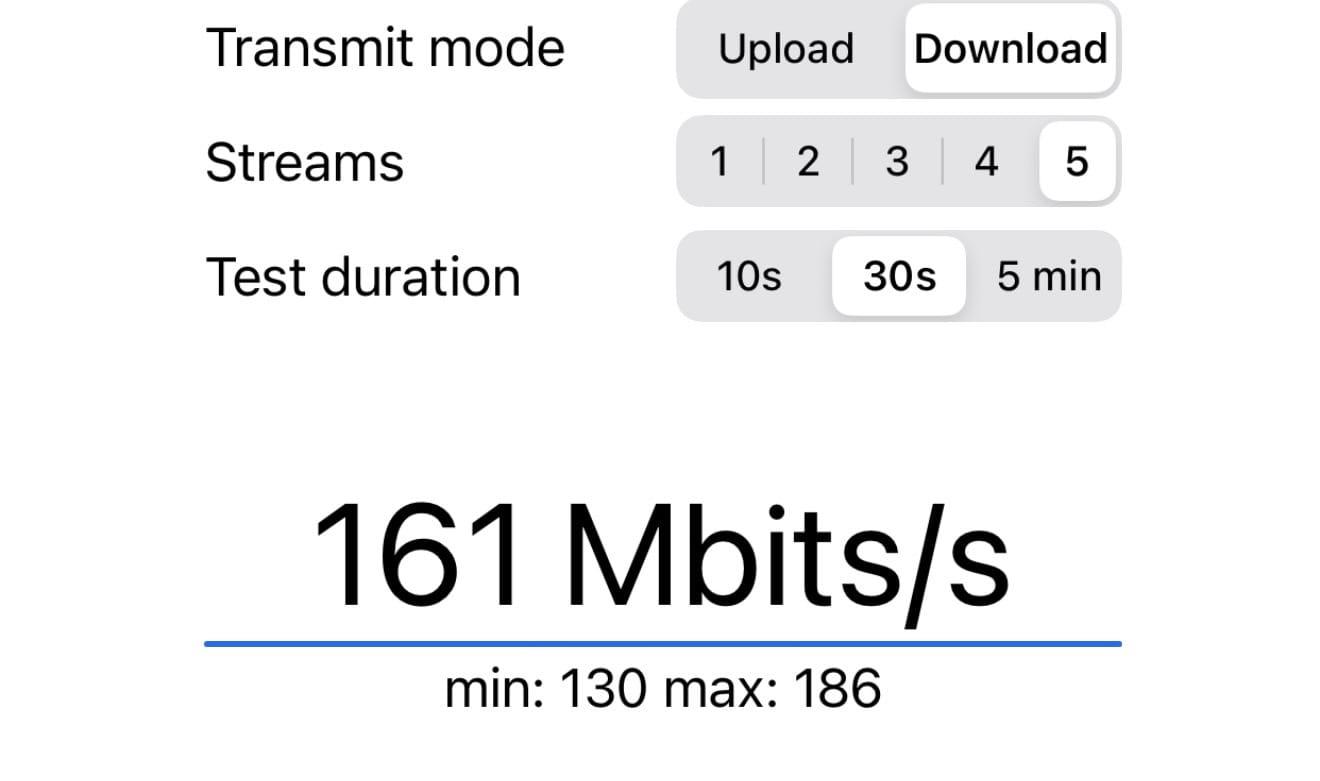
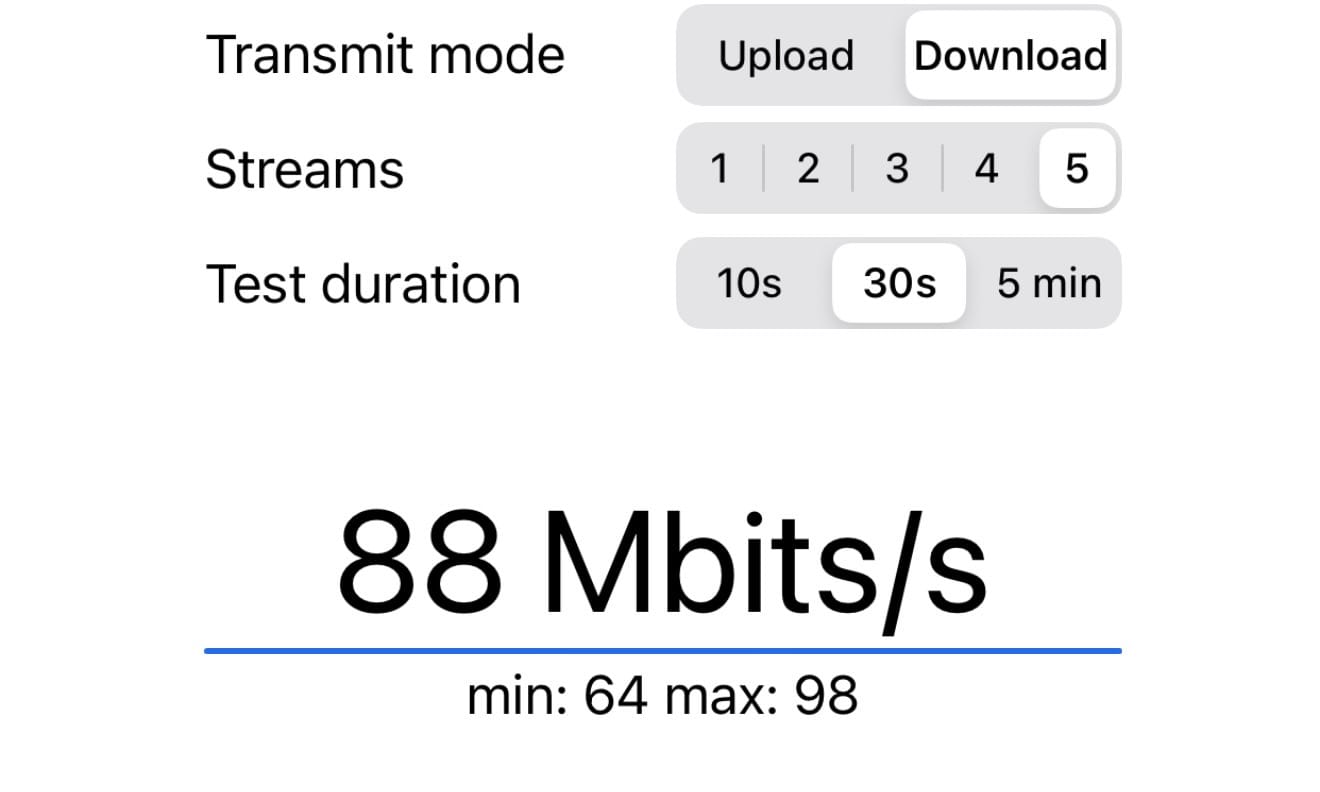
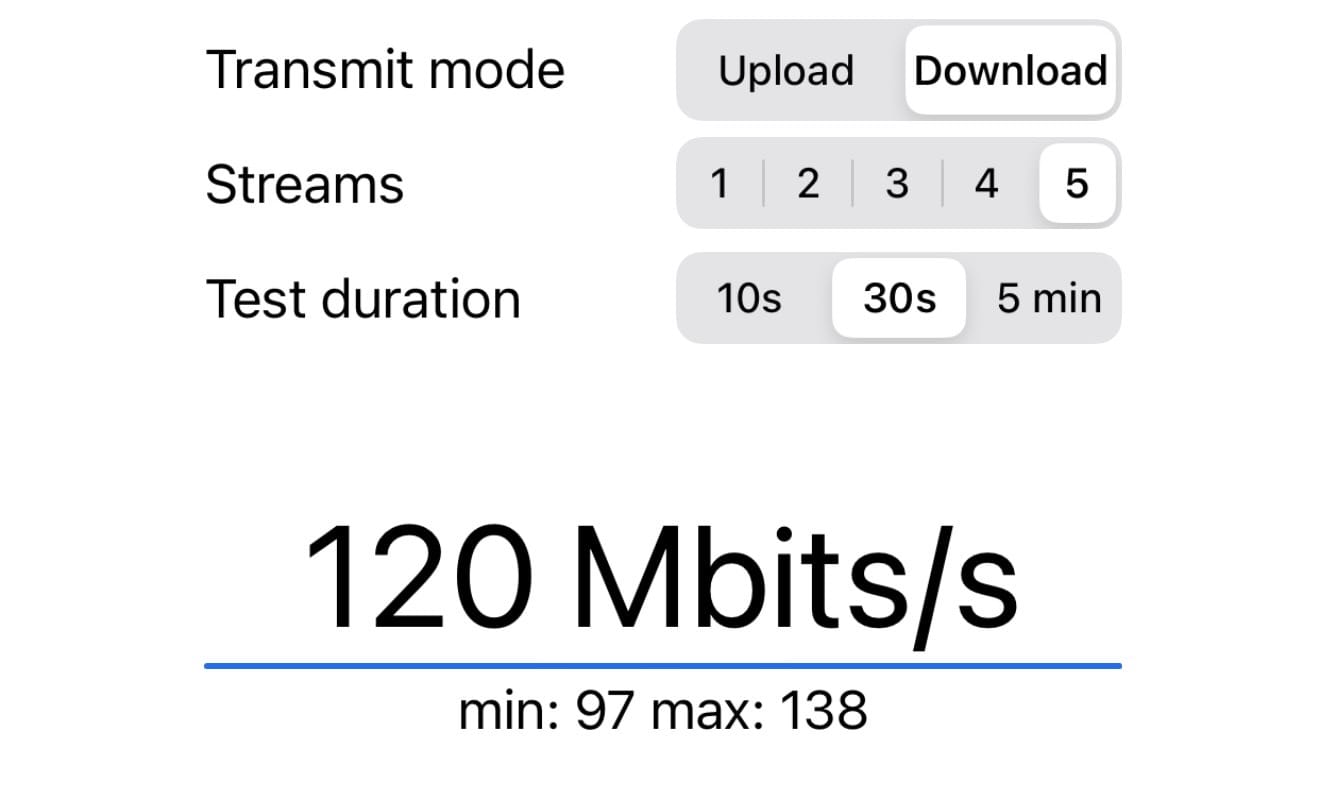
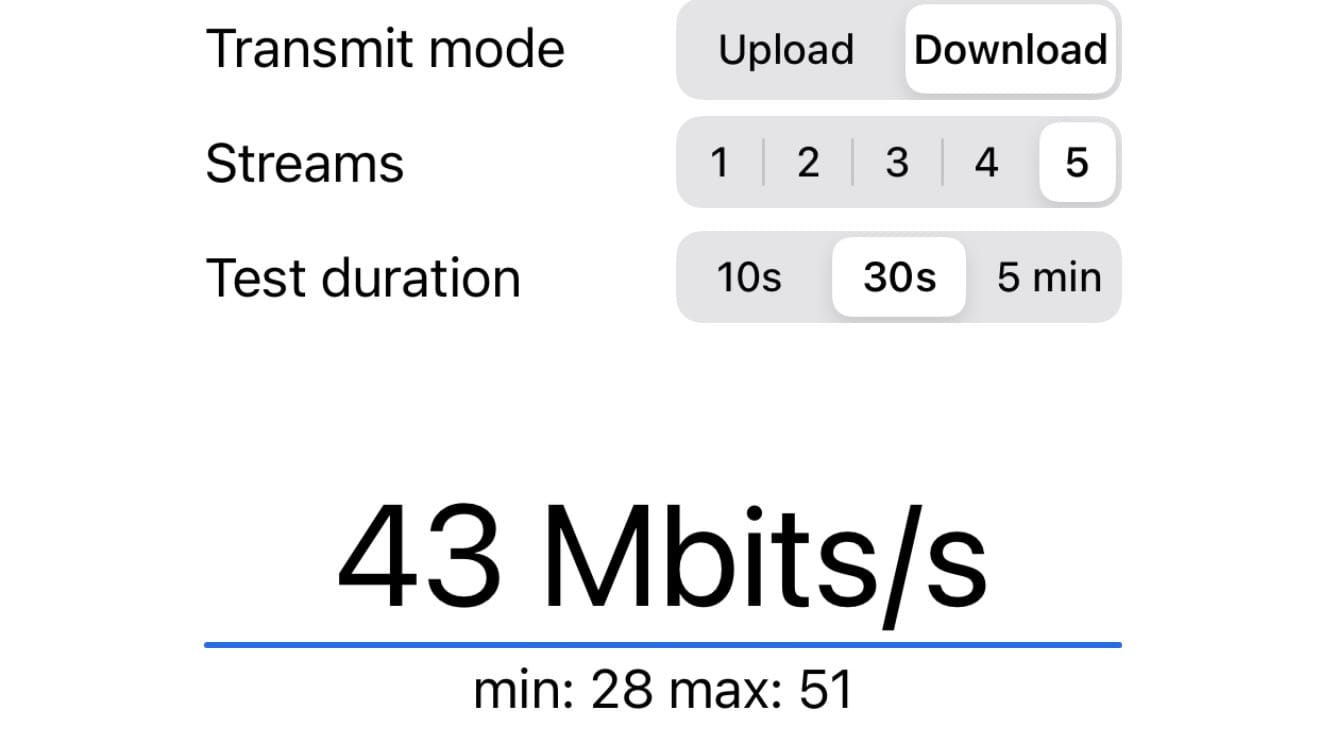
Each outbuilding (aside from the art shed) has at least one 4K UniFi camera attached to it, which uses up some of the bandwidth (the coop has three cameras, which might explain the lower test speeds), but overall I'm impressed with how well it all works. Gone are the days of 40-50Mbps max at each spot, as now I can reach devices and transmit 4K video to my NVR console with no trouble from any building. WiFi connections at each building are noticeably faster too. The local LLM server and Mac mini running in the Barn feel way faster now.
Conclusion
UniFi's new Device Bridge gear is dead simple to use and if you have a backyard deck, or a pool house, or a home office set up in an outbuilding shed that suffers from spotty wifi too far from your house, buy a couple Device Bridge Pros and plug them in to transmit internet across any distance. You will need to have a switch and a wifi point at the remote end, but all in you can set this up in an afternoon for around $500.
Post-upgrade, everything on my home network feels totally dialed. My AppleTV displays video when someone walks onto my driveway or hits our doorbell, and the video is smoother and comes up faster than it used to. Transferring files between servers is quicker, all my HomeKit connections to light switches and plugs in other buildings are more reliable, and the setup couldn't have been easier. It was a night-and-day better experience than setting the complex old UniFi gear with static IPs and complex configurations.
I can't recommend UniFi's new Device Bridge hardware enough, it lets you span distances from hundreds of feet to a few miles and in my case, seems to work great even through a thick forest.
Subscribe to get posts via email
Be the first to know - subscribe today