Introducing RouteScout


Big news: This month I became a mailman! But I don't get to wear all the cool clothes because I'm working at a rural office (you can wear whatever you want on rural routes) in a part-time role helping full-time mail carriers on their long-established routes. Basically, I'm like a substitute teacher at a school, filling in for anyone taking time off or sick, but at the post office.
I'll write a big blog post about why I chose this new role and everything I've learned about the USPS so far, after I've settled into the new gig. For now, I want to share something I built that's helping me to get off the ground that I think it could help others in the same role.
RCA vs full-time Rural Mail Carriers
I joined up as an RCA, or a Rural Carrier Associate. It's a non-career, part-time substitute mail carrier role. RCAs jump from route to route, wherever they're needed, and often they're dropped headfirst into sections of town they've never delivered before.
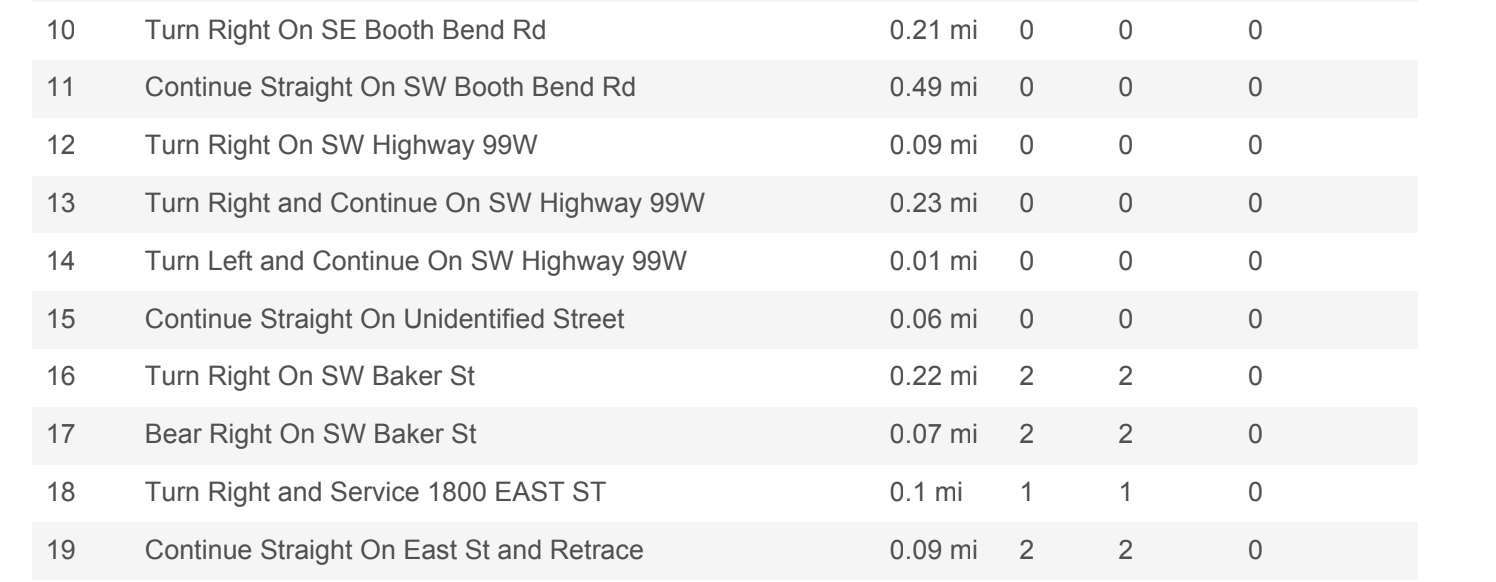
To help substitute mail carriers get around, the USPS currently offers a "Line of Travel" PDF with maps and turn-by-turn directions for every route in the USA. To use it, you print it out on paper or pull it up on your phone, pull over, then check a long list of driving instructions periodically while you're doing a strange-to-you route. Here's a screenshot of a small chunk of a single route's PDF, and it goes on for five pages with the most efficient route to get mail into hundreds of post boxes by a carrier each day.
Full-time mail carriers work the same route day in and day out, so they often memorize everything within a few months. When you reach that level of familiarity, you can do an incredible amount of work in a short time. I was shocked to watch someone with 10 years of experience rip through 1,000 different mail deliveries in just a few hours as I shadowed them on my first day.
Whenever you hand off a route to a substitute, it's completely normal for the work to take that new carrier 10-12 hours to complete (when most regular carriers only need 6-8 hours). While you work a route, you have to juggle 20 different things at once, as you hit each box including driving and directions, where the mail to be delivered is sitting in your truck relative to everything else and where all your upcoming package drops are located. You have a USPS scanner that's basically a custom Android phone that reads bar codes, but in my opinion, the apps and hardware don't do enough to help out folks in the RCA role.
How it started, how it's going
On a lark, before my first day delivering, I got a copy of the route I'd be learning as a PDF and I plugged it into Codex to see if I could get turn-by-turn directions into Safari on my iPhone so I could get driving hints as I covered the route.
Surprisingly, the first stab at it was quite good, so much so that I used it for the first three days of delivering a new-to-me route. It helped A TON, and took away one of the many things I was already juggling. I showed it to people at the office and they wanted to know if it could work for every other route in the office, so I tested that out and it worked exactly like my route.
So if this works for my entire local office, I bet it can work anywhere else so I'm opening this up to any substitute mail carrier in America who wants to use it as a free tool for learning their routes.

How to use RouteScout
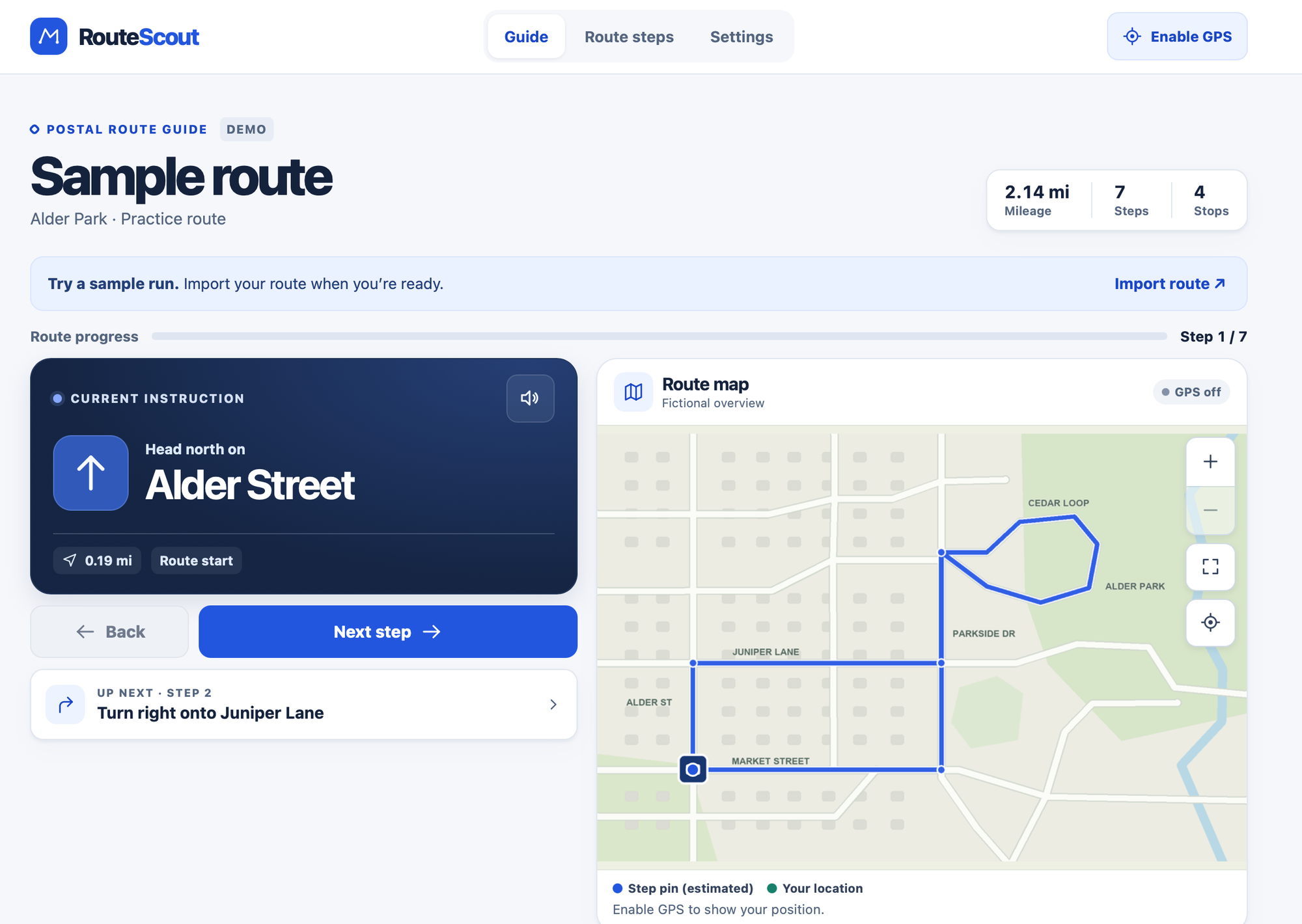
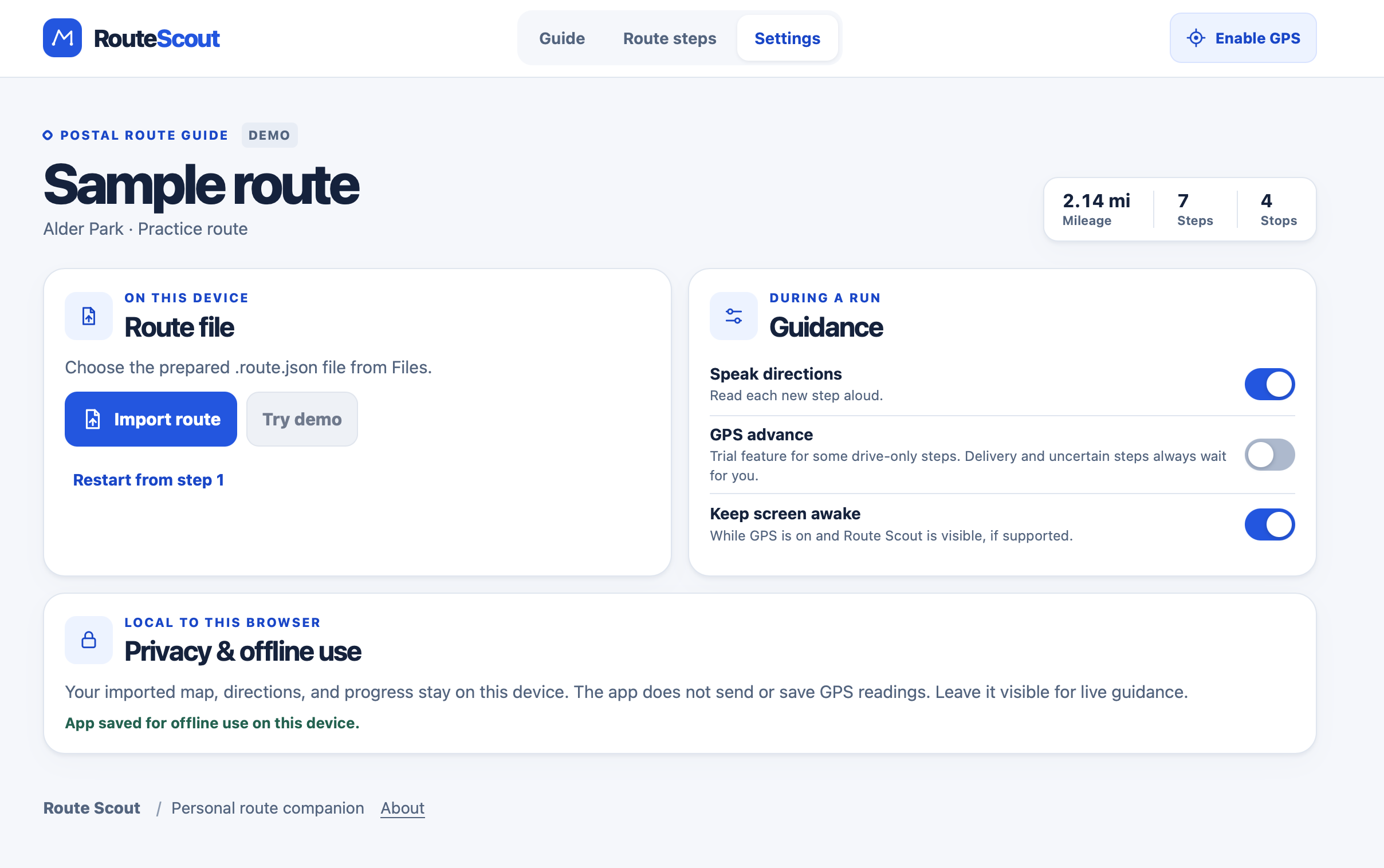
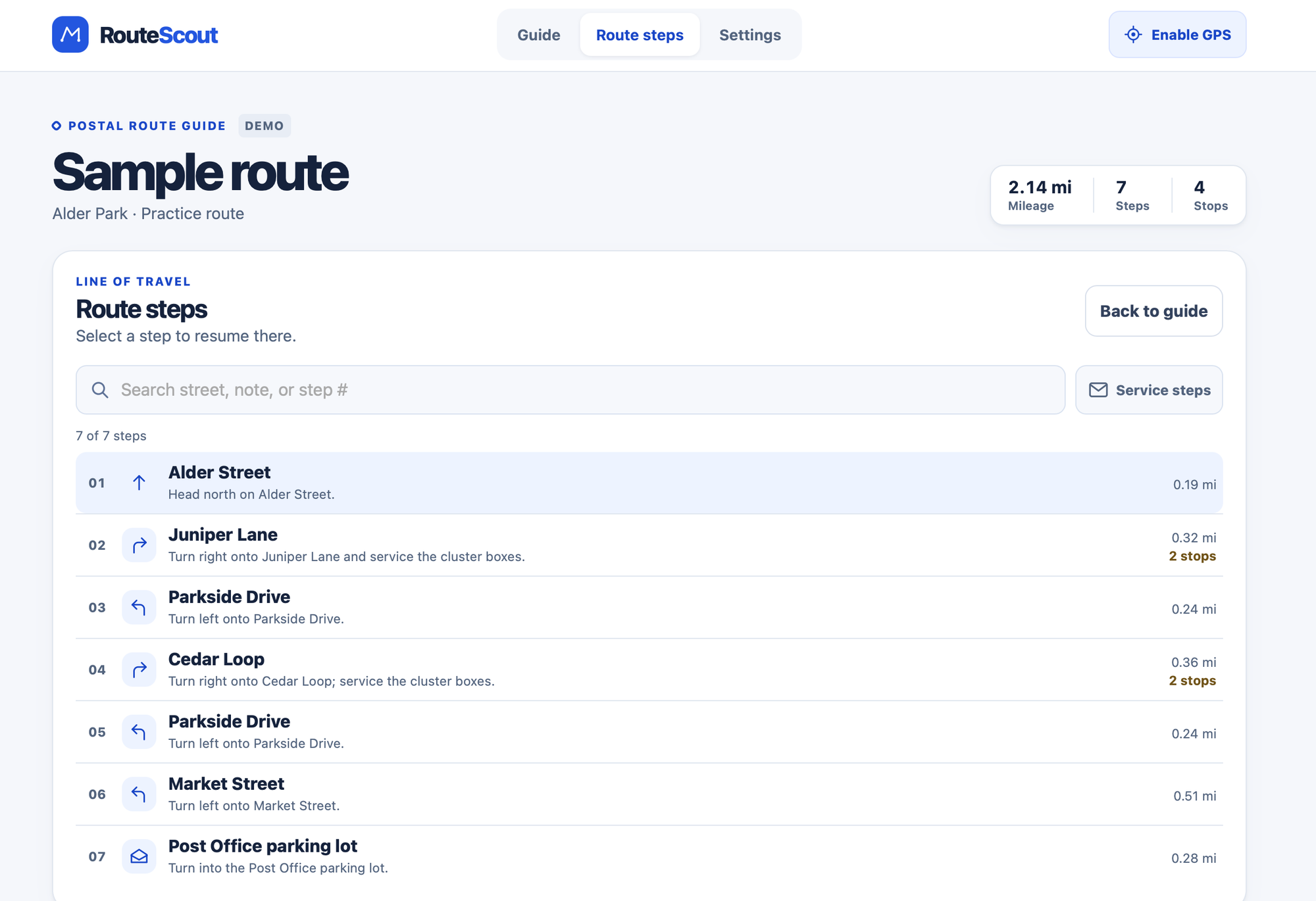
Screenshots of the app in action with a demo route
If you're an RCA working for the USPS and you have a new route, follow these steps to tailor the app for you.
- Pull up ChatGPT's Codex or Claude, then upload a PDF of your route's line of travel PDF doc and ask it to create a JSON file of your route that follows the docs page I made for the JSON input format (share my docs URL and ask AI to read it, parse it, and follow it when creating your JSON), then download the resulting file.
- Open RouteScout on the device you'll use while you deliver mail (your phone, not your desktop browser) and then upload/import your newly prepared JSON route file from step 1.
- Go to Settings and "Enable speaking directions" after turning off mute on your iPhone to hear it in mobile safari. Hit the "Enable GPS" button in the top right so you'll get a handy green dot on your maps to show exactly where you are throughout your day.
- Drive to the start of your route and hit the advance button after you complete each step (while stopped is best, just after you deliver, before you take off from the curb is best). It'll tell you where to turn next and how many houses/boxes you'll need to stop at on each segment of your route.
Yes, this is a very niche app
I need to make a video of the app in action because when you hear your first "turn left at Elm street, then service two boxes" you'll understand how helpful this can be for anyone new to carrying a mail delivery route.
I may eventually turn this into a iOS app with CarPlay support so you don't have to tap the next direction at each stop manually on your phone, but I'm hoping to get feedback from other carriers in other offices who are willing to try it out.