
How to vibe code your own custom home dashboard

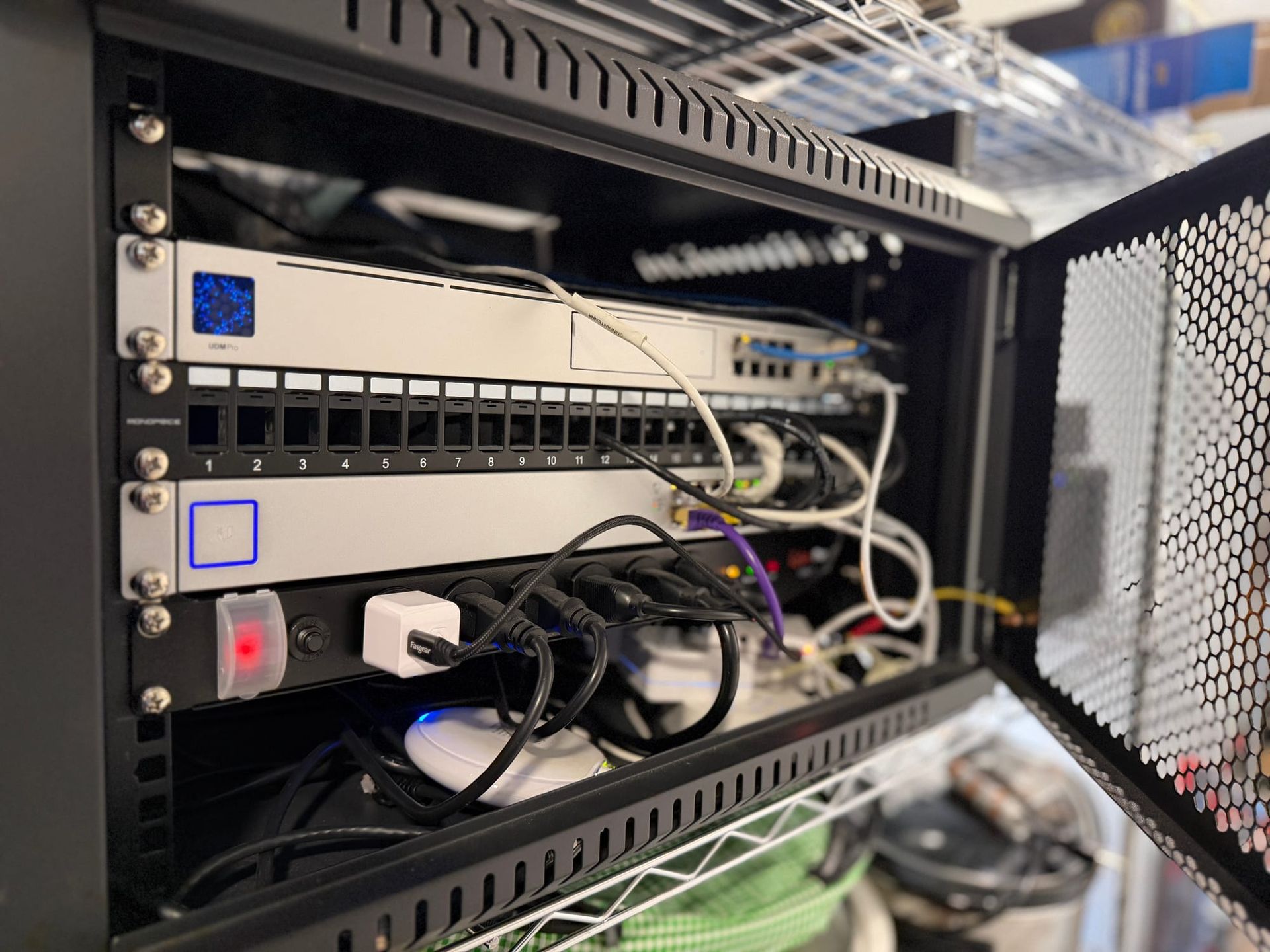
The other day I was doing maintenance on the Synology file server in my house, and whenever I ran into a problem, I'd ask Claude.ai how to fix things. Then I asked it to help me secure it and how to automate keeping all the services up to date.
When I was done, I wondered if Claude could help me build the ultimate home dashboard I've always wanted. Most services I use have some sort of dashboard, and even though the big ones from Apple Home and Home Assistant offer loads of custom options, nothing quite hits all the vital info I want about the status of everything going on inside my house.
So I started building one.
Claude knows I run a couple different Synology servers, and it also knows I run a dozen different services on those boxes. It knows I have solar panels on the roof, a few security cameras, and everything is tied together with Tailscale. Most things I use have an API of some sort and Claude is great at creating small widgets that can ping APIs, grab info, and display it however you need.
I started by asking Claude to create a very basic homelab homepage for my house, then I started adding one feature at a time to get information displayed exactly how I wanted on my home's new dashboard. What's funny is every stage of this project usually required an update or installation of new tools and services on my Synology server, but Claude would send the commands to spin up another Docker container running a small instance of something and I'd plug it in and it'd always work.
What it looks like in action
After a couple hours of refining ideas and living with it for a week, I got to something I like that gives me a ton of vital things I can think of on a single page. Then I styled the CSS to kinda resemble the old k10k design site aesthetic.
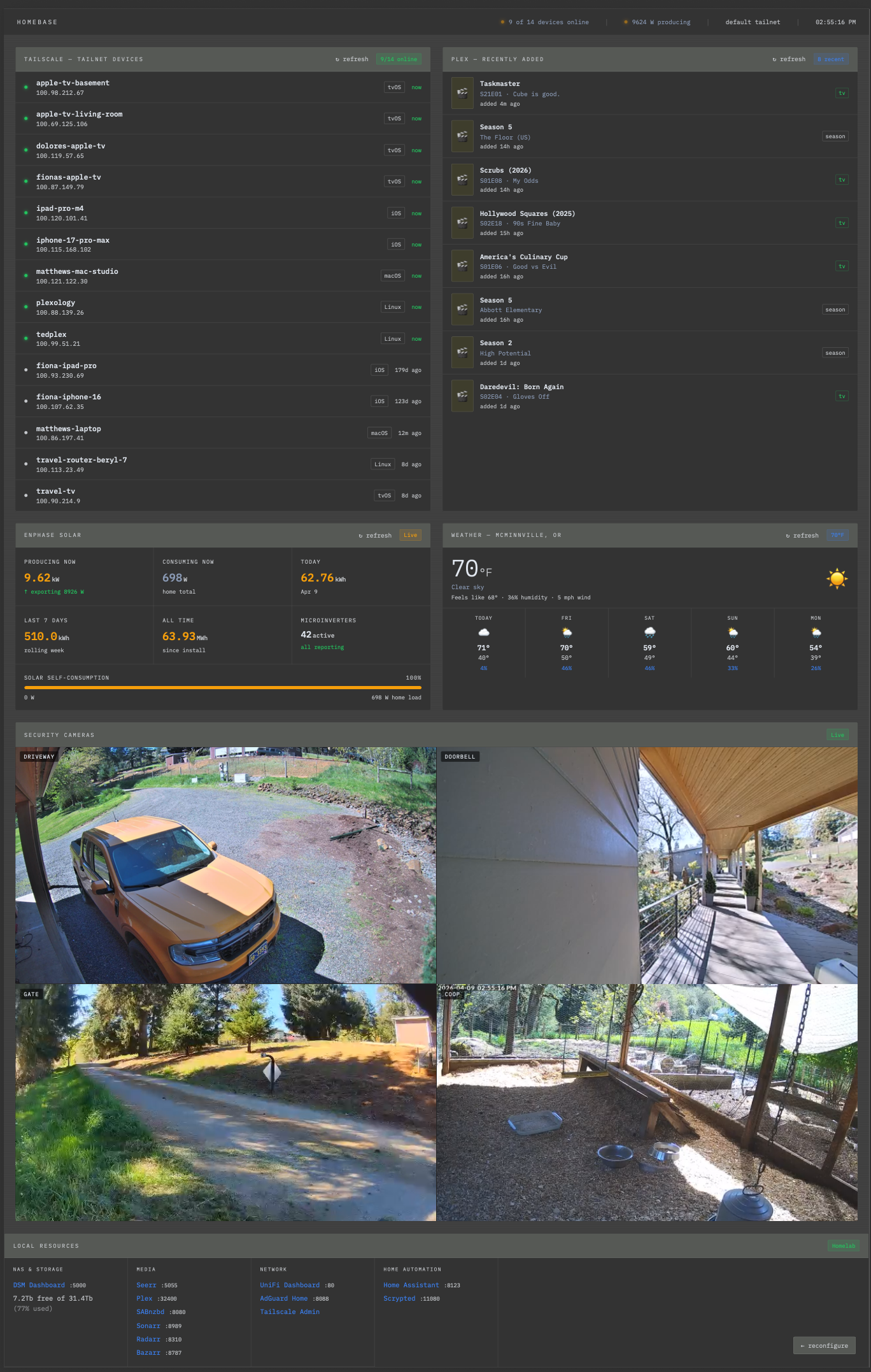
From the top down, it's a report of my current uptime status of every computer I have connected to Tailscale, recent downloads to my Plex server (so I don't have to turn on a TV and navigate to the app to see if there's anything new to watch), the current energy production I'm getting from my rooftop solar versus the current energy draw, a weather forecast, some security camera live feeds from around the house that stream inside the browser, and finally shortcuts to all the services I commonly use along the storage capacity of the server.
Thanks to Tailscale's magic DNS, my home dashboard comes up when I type http://plexology/ into any browser (it's the name of my main Synology box running the dashboard's HTML files in Synology's web station app).
The best part is I can add any feature I can think of in just minutes. Today I wanted to know what the disk space situation was on my file server, so I asked Claude, then pasted the newly minted code into the existing page, and now it's on my dashboard.
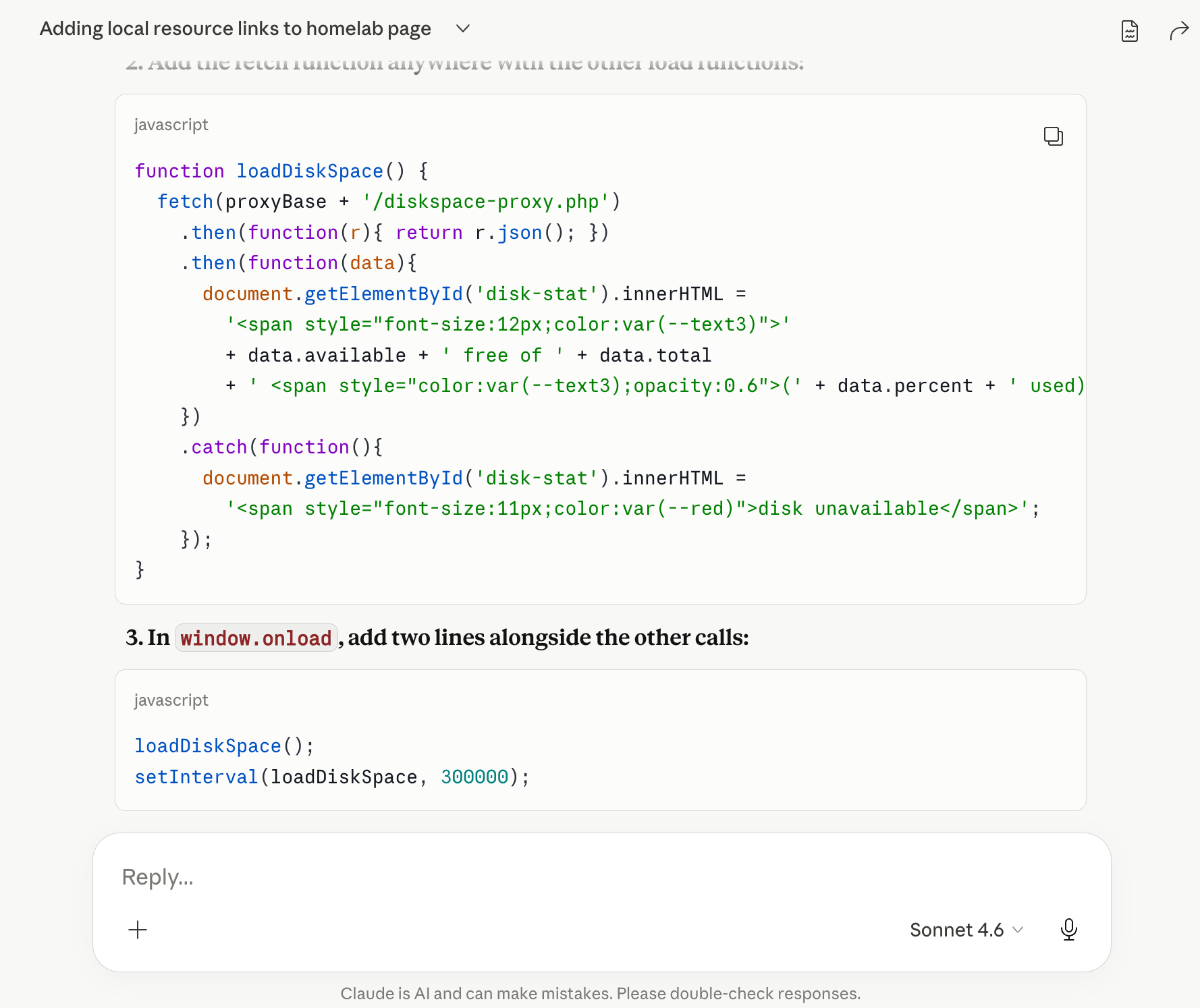
I just asked Claude if I can display my 3D printer's current status on the page so that I instantly know if it's free to let me send a new model to print. Claude's response is that I can query the printer over the network and display the results using a Home Assistant plugin, so my next project will be setting all that up. Anything I can think about wanting to see, I can add it to the page using code from Claude, and so far it's worked great.
I'm sure a year from now the page will look something like this:

How to build this for your own home
I could publish the code for my home server on my GitHub account but it's totally customized to just the things I run locally. However, it's easy enough for anyone to replicate this for their own smart home.
You can start by asking Claude to whip up a basic "homelab dashboard" for your house. Then list each service you run in your home that you'd like to track. Claude can walk you through all the yak-shaving steps necessary to query various APIs that can grab your information that's then displayed on your dashboard.
If you put all this on a server you run Tailscale on, you don't need to expose it to the world through firewalls or port forwarding, as only you or people on your tailnet can access the internal Tailscale names and IP addresses, instantly blocking out the rest of the world.
Honestly, I really love how this little project turned out. It started with about 10-15 minutes of tinkering and eventually grew into everything what I've always wanted to monitor in various systems running in my house.

The other day I finally mastered how to make a mushroom, zucchini, potato, and feta frittata like the ones I used to eat as a kid since my mom's family always brought frittatas to family events. After making it, I thought about how I need to add the recipe to my Mealie app that's also running on my home network on the Synology box. Then I realized I could eventually add a new widget on my dashboard: a random daily recipe could pop up from my internal Mealie database I'm slowly adding all my favorite recipes to.
The possibilities are endless, and thanks to Claude, it's easy enough for anyone to build.
Subscribe to get posts via email
Be the first to know - subscribe today